Emergency Room Simulator Guides
Walkthroughs and how-to articles for every stage of an ER shift — from intake to life-saving treatment.
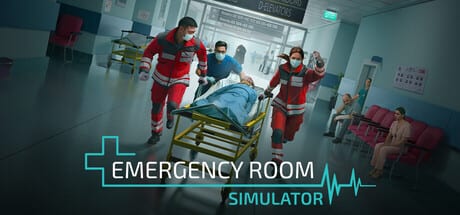
Emergency Room Simulator puts you in the white coat on the busiest ward in the hospital. Caipirinha Games and Aerosoft describe a simulation where briefing, examination, diagnostic testing, charting, and hands-on treatment all happen under time pressure. This guides hub collects every deep walkthrough on the wiki so you can prepare before August 13, 2026 and refine your workflow after launch.
Whether you are wishlisting on Steam, planning a console purchase, or returning after a patch, start with the articles below. Each guide cross-links related topics so you never hit a dead end mid-shift.
Start here: your first ER shift
The first-shift guide explains the macro loop Aerosoft highlights in press materials: receive the paramedic briefing, examine the patient, order tests, document findings, choose treatment, and respond when vitals crash. If you only read one article pre-launch, make it that one.
Diagnosis and detective work
Medical detective work is the heart of the fantasy. The diagnosis workflow guide breaks down how to move from symptoms to confirmed conditions using visual exams, patient questions, and confirmatory tests. Pair it with the medical equipment guide when you need to know what X-rays, CT scans, ultrasounds, ECGs, and blood panels actually do in gameplay.
Triage when the waiting room fills
Official copy stresses that your choices matter — you prioritize cases at your discretion. The triage priorities guide teaches a practical framework for sorting red, yellow, and green cases so one stable sprain does not steal minutes from a crashing trauma.
Emergencies where seconds count
When the monitor alarms, muscle memory wins. The emergency procedures guide focuses on time-critical interventions such as CPR and other resuscitation steps referenced on the Steam page. Read it alongside controls for PC so your inputs are already mapped before stress hits.
Documentation and the patient chart
Real ER work lives in the chart. The patient chart guide covers logging history, test results, and treatment plans — the administrative backbone that keeps diagnoses defensible when multiple patients stack up.
Treatment procedures after diagnosis
Games Press lists realistic treatment procedures — wound care, medication, and injury handling beyond abstract “cure” buttons. The treatment procedures guide covers suturing, bandaging, drug administration, and how planned care differs from emergency CPR beats.
Related resources on this wiki
Guides explain how to play; other hubs cover adjacent questions players search every day:
- Controls hub — PC, controller, and console input expectations before full binding lists ship.
- System requirements — verify your rig against Steam minimums.
- Release roadmap — confirmed August 13, 2026 date and platform details.
- Pre-release preview — feature summary from official sources.
- Official links — Steam, Aerosoft, and store pages in one place.
How we write and update guides
This wiki is unofficial. We synthesize verified store descriptions, press releases, and official trailers — not leaked builds or guesswork. After launch we revise steps when patches change UI flow, add new equipment, or rebalance timing. Bookmark the updates hub for patch-day refresh notes.
Suggested reading order
- First shift
- Diagnosis workflow
- Medical equipment
- Triage priorities
- Emergency procedures
- Patient chart
- Treatment procedures
That path mirrors the order most players struggle with: understand the loop, learn tools, survive peak load, then master hands-on care.
Frequently Asked Questions
Quick answers to the most common questions.
Are these guides official?
No. They are fan-written walkthroughs based on public information from Steam, Aerosoft, and verified trailers. Always confirm details after you install the game.
Which guide should I read first?
Start with the [first-shift guide](/guides/first-shift/). It frames the entire gameplay loop before you dive into diagnosis or triage specifics.
Will guides include videos?
Select pages embed one verified YouTube clip mid-article when official footage exists. We never invent video IDs.
Do guides cover console versions?
Core medical workflow is the same across PC, PS5, and Xbox. For inputs, also read [console controls](/controls/console-controls/) and [controller support](/controls/controller-support/).